Murf Studio gives you 10 minutes to audition voices without downloads. Creator starts at $19/month billed annually. For an audiobook, price one chapter with revisions before choosing a plan.
| Murf Studio option | Price shown on official pages | What to budget for |
|---|---|---|
| Free trial | $0 | 10 minutes to evaluate voices, without downloads |
| Creator | From $19/month, billed annually | Voiceover exports, generation time and project allowance |
| Business and Enterprise | Check the Studio plan selector for the current quote | Higher usage, editing controls and any license or collaboration requirements |
Count the time you may need to render twice
See Murf Studio pricing and its free trial terms for current limits. Murf has separate Studio, dubbing and API offers. Compare the correct product and billing interval before using a price in your budget.
For short voiceovers, Murf offers a script-first editor and a large selection of voices. For an audiobook, count the first render plus retakes. For example, a 30-minute pilot with 10 minutes of revisions needs 40 minutes of generation if your plan charges for every render. Check the plan terms against that workload.
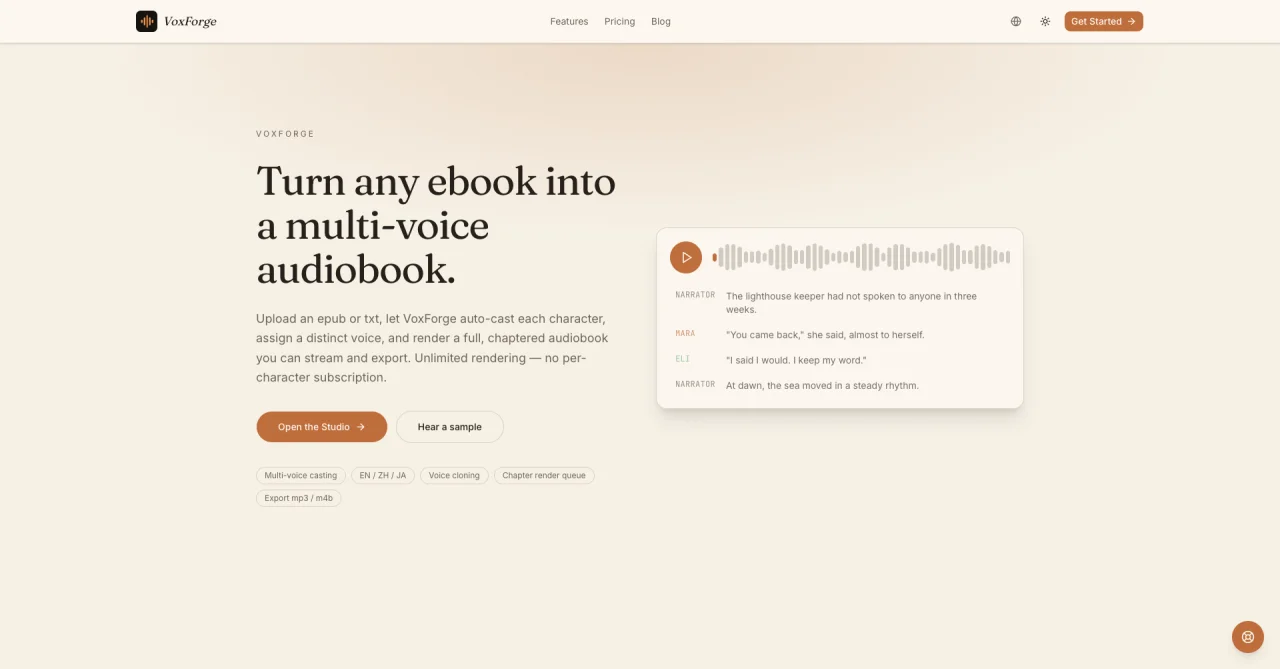
This screenshot shows our public chapter preview. Try listening for narrator and character transitions, then check how the workflow handles revisions to a single chapter.
Budget with one chapter and a revision allowance
Start with the book's word count. Use your own sample to measure the reading rate, since dialogue, dense nonfiction, and material with long pauses can have different delivery speeds. Suppose your script is 45,000 words and your measured pace is 150 words per minute. Your baseline is 300 minutes, or five hours of finished audio. If you expect to rerender one fifth of the script, reserve another 60 minutes. That brings your planning estimate to six hours of generation before counting optional audition takes. Apply the plan's actual metering rules before converting that figure into a cash cost.
Keep the pilot and the full book in separate rows of your budget. The pilot should include a challenging section with narration, a character transition, and at least one pronunciation you expect to correct. That makes it easier to estimate production time and identify whether corrections will affect isolated paragraphs or whole chapters.
| Example workload | Finished audio | Revision allowance | Estimated generation |
|---|---|---|---|
| Audition passage | 2 min | 2 extra takes of 2 min | 6 min |
| Pilot chapter | 30 min | 10 min | 40 min |
| Example manuscript | 300 min | 60 min | 360 min |
These are illustrative workloads. Your bill depends on which actions consume time or credits, whether retries count, and what is included in the billing interval. Track minutes that are actually generated as well as minutes exported.
Check what the free trial can answer
Use the trial to judge intelligibility and fit for your script. Write down three sentences: a name with a non-obvious pronunciation, a sentence that changes speaker, and a sentence where a pause matters. Listen once on headphones and again on the device your audience will probably use. Check whether you can follow the speaker changes without reading along. A trial without downloads still supports that listening test, but you need to verify exports separately before committing to a production schedule.
If you're buying primarily for a recurring short voiceover, a plan with suitable download rights and enough generation time may be all you need. If you are producing an audiobook, test whether the editor can isolate a correction, keep character voices consistent, and export files in the order your distributor expects. Those are separate questions from how a voice sounds in a demo.
Compare billing intervals and export rights
Record the amount you will actually pay at checkout alongside any advertised monthly equivalent. A rate of $19 per month billed annually is $228 for a year at that quoted rate, before any applicable tax. Check the payment interval, plan name, and currency when comparing it with a monthly offer. Then check whether the usage allowance is delivered monthly or annually. A monthly quota may matter if you plan to produce the whole book in one month.
If this is client work, confirm who needs to be able to download the files, whether the project must move between accounts, and which commercial terms apply to the exact plan. For books intended for distribution, verify the distributor's rules for synthetic narration and disclosure before making a licensing decision. Save the applicable terms with the project budget.
Set up a chapter handoff before the full render
Create a sheet with the chapter number, script version, cast assignment, duration, last approved take, and export filename. Mark edited pronunciations in a separate list so the same names are handled consistently later. On the pilot, change a single line after approval. Record whether you can replace just that line, a scene, or the entire chapter. The result gives you a better estimate of the revision workload than an initial playback alone.
Listen to the exported file from the beginning and around the correction point. Check for duplicated lines, long silences, shifts in level, and abrupt cutoffs. Then check the chapter boundaries. If the editor uses one continuous project, budget the time to split and label the output. A workflow with chapter files makes it easier to review and replace a single deliverable.
Choose the workflow your project needs
A short explainer usually needs one approved script and a small number of takes. Start by checking Murf's editor, voices and the plan that unlocks the required export. A multi-character book has more moving parts. Audition the narrator alongside two contrasting characters, then test whether you can update a pronunciation and verify the edited passage without listening to the entire manuscript again.
Keep the decision criteria for the pilot simple. Can a listener identify who is speaking? Can you reproduce the same voice assignment in the next chapter? Can you replace an approved line and keep a record of which version was exported? Use those answers and the real checkout total to choose. If you only have a single script and need one short file, stop after the short-clip test.
Start with one chapter
Open the studio with a short pilot chapter. Use a passage with a narrator and two characters so you can review the voice changes and plan your first set of revisions.
 Elena Ashford